Kite Shape earrings, ready to print
What's new in Beadloo
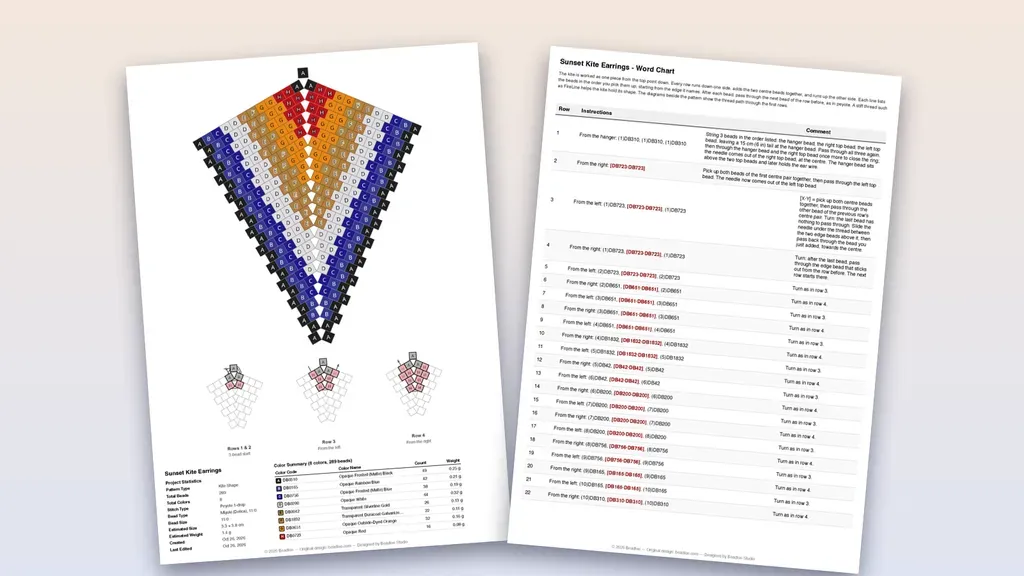
Kite Shape earrings can now be exported to PDF. Until today a kite could be designed in Beadloo but not printed. Now it prints like any other pattern: the full kite with every bead lettered, three small diagrams that show how to start, and, if you like, written instructions you can follow row by row from the top point down to the tip.
- Kite PDF export
- Step-by-step start diagrams
- Written row-by-row instructions
- 4-bead ring or 3-bead start
- Hanger bead for the ear wire
- True earring size
- Sharper small patterns
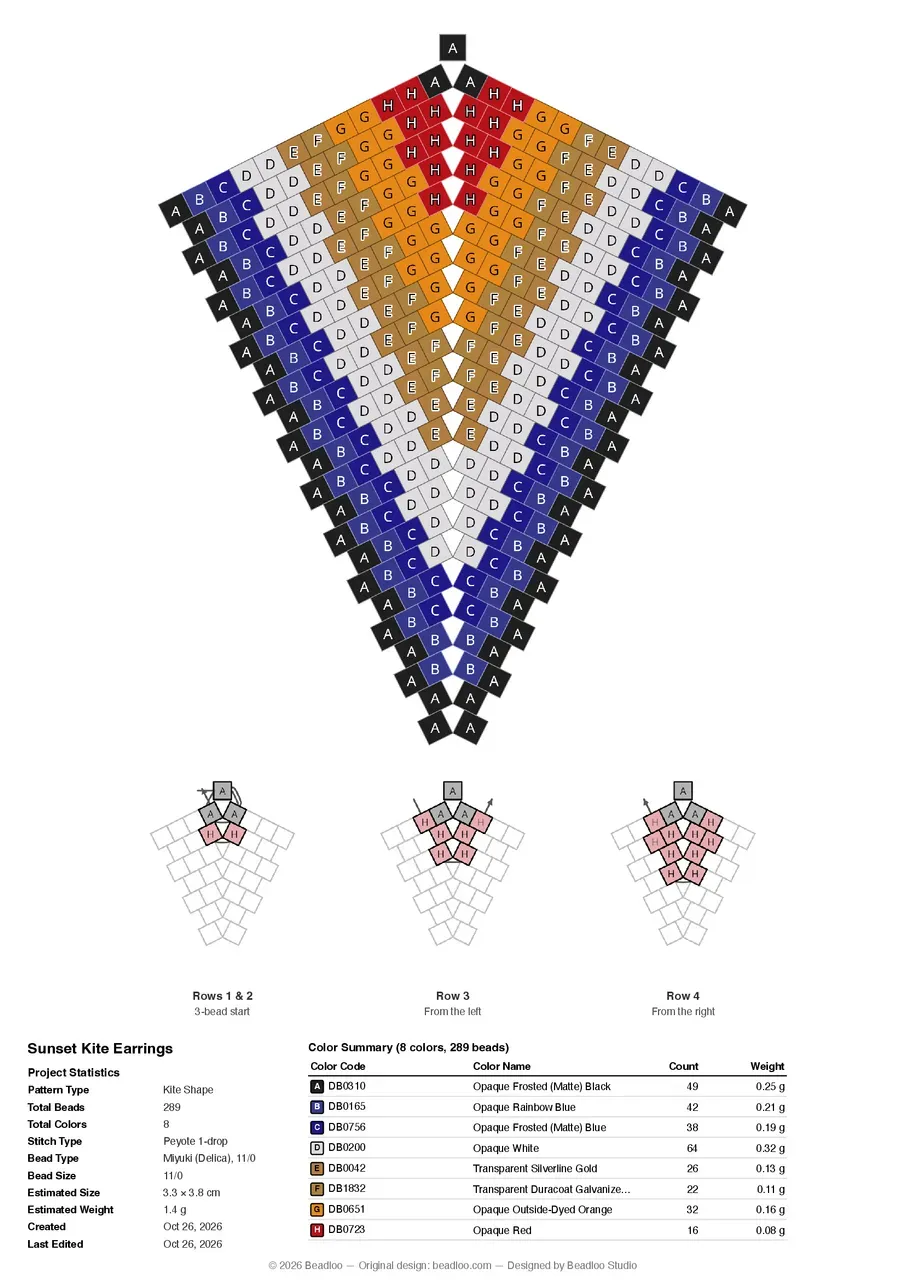
The pattern page of a 12-row kite with the 3-bead start: the kite, the start diagrams and the color key on one sheet.
In this update
What's new at a glance
- Print your kite
Export PDF now works for Kite Shape projects, from the editor, the phone toolbar and your project cards. - See how to start
Three diagrams show the first rows with the thread path drawn in, so the trickiest part of a kite is on paper. - Written instructions, row by row
Every row says where it starts, which beads to pick up and how to turn. - Choose how you start
Start with a 4-bead ring, or with 3 beads and a hanger bead to hang the ear wire on. - The size of the whole earring
The estimated size on the PDF now measures the finished earring, for kites and triangles. - Sharper prints of small patterns
Small earrings no longer print with soft, stepped edges.
On every plan
Kite PDF export, the start diagrams and the written instructions are available on every plan. Free accounts design kites up to 10 rows per side and Pro accounts up to 30, and both can print whatever they design.
Kite Shape
Print your kite
Open a Kite Shape project and choose Export PDF: from the editor's header on a computer or tablet, from the More Tools menu on a phone, or from the back of the project card on your Projects page. The dialog is the one you know, with a new section for kites.
- Open Export PDF
The kite gets its own Kite pattern options section, folded like Page setup, with a summary of your choice. - Pick what to print
Pattern only, written instructions only, or both. Tick Use Miyuki bead IDs to print Miyuki's numbers instead of letters. - Choose how you start
Open Kite pattern options and pick the 4-bead ring or 3 beads + hanger. - Export
Paper size, orientation and original or lightened colors work as they do for every pattern.
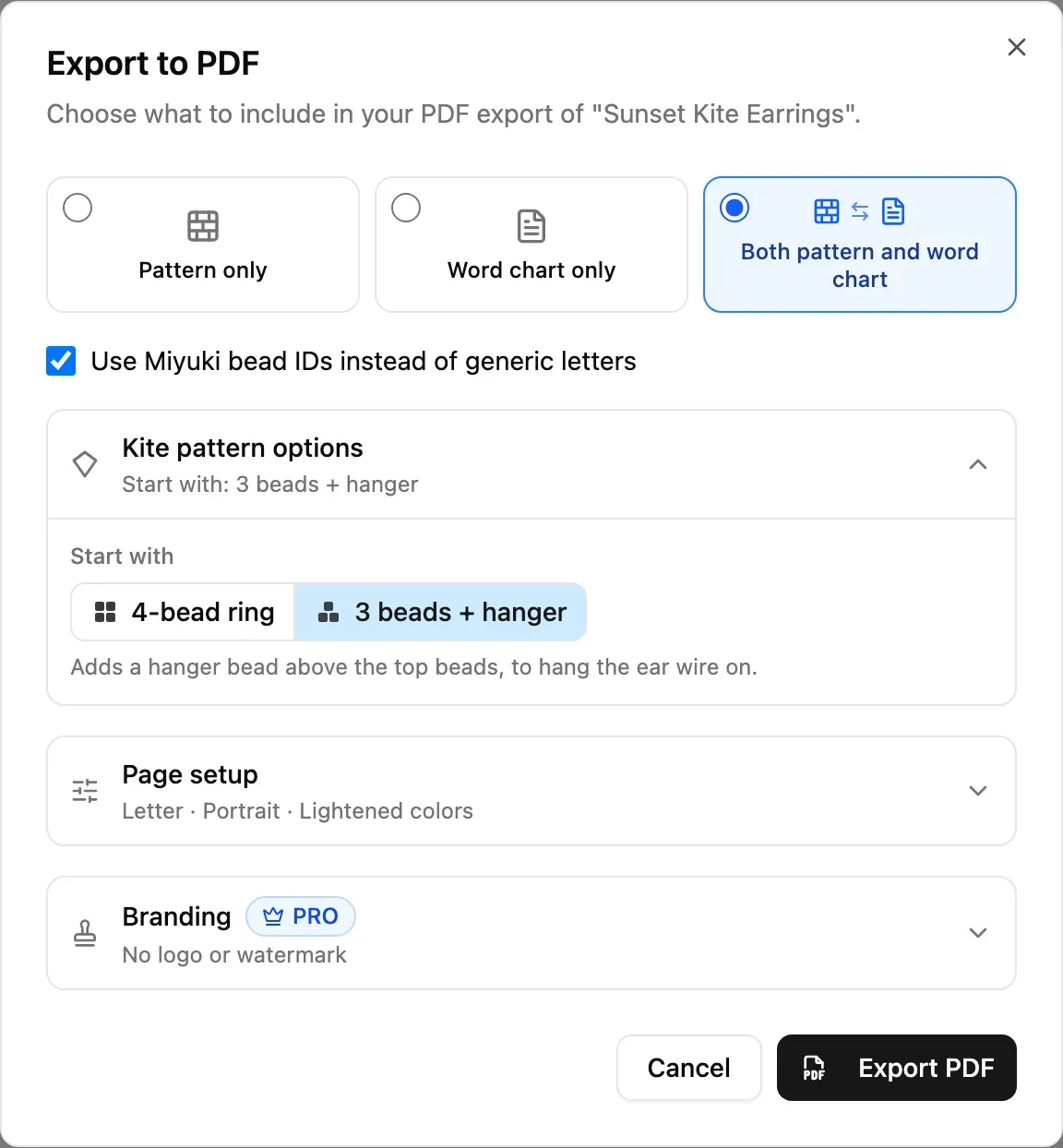
The Export to PDF dialog for a kite.
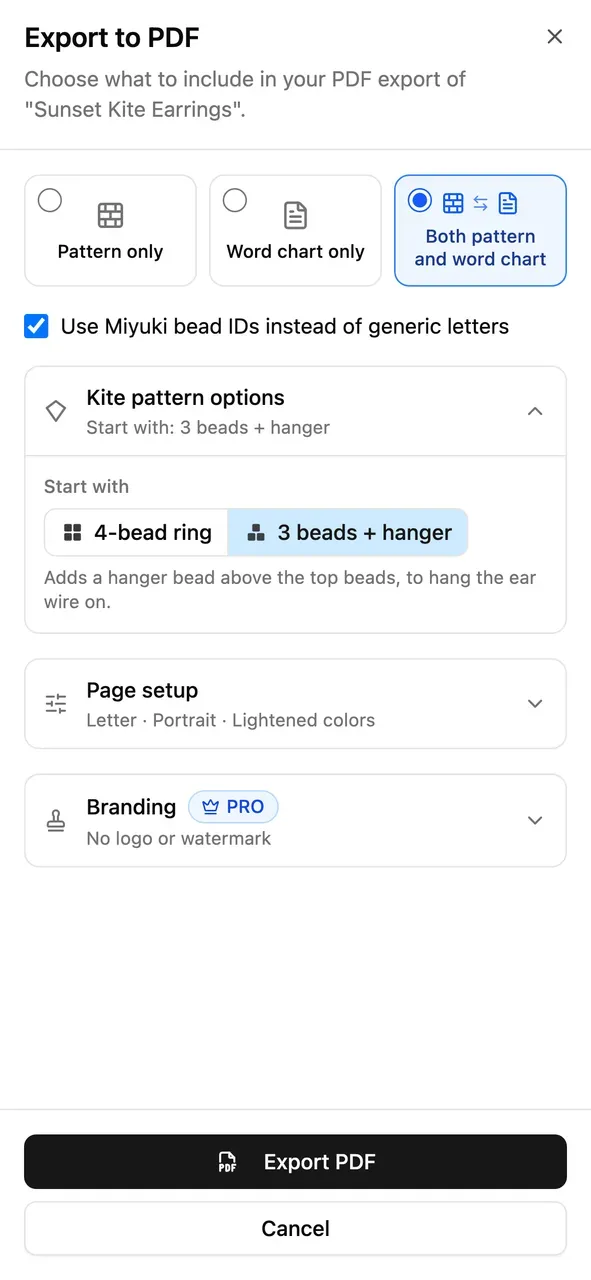
On a phone it opens as a sheet.
See how to start
The first rows are where a kite is easiest to get wrong, so the pattern page shows them as three small diagrams, the way the Triangular Earring shows its first rounds:
- Rows 1 & 2: the start, as a ring or as the 3-bead start.
- Row 3: the first full row, worked from the left.
- Row 4: the next row, worked from the right.
Each diagram colors the beads worked so far, with the same letters as the big pattern, and draws that step's thread through the beads, ending in an arrow where the needle comes out.
The start diagrams for the 4-bead ring.
Written instructions, row by row
Choose Word chart only or Both and the PDF adds the written instructions for the whole kite. A kite is worked as one piece from the top point down: each row runs down one side, picks up the two center beads together, and runs back up the other side. The chart writes that out:
- Each row says where it starts: "From the left:" or "From the right:".
- Beads in the order you pick them up, grouped in runs, such as (3)DB0651.
- The center pair in red brackets, [DB0723·DB0723], picked up together.
- How to turn, spelled out on rows 3 and 4, then "Turn as in row 3" or "row 4" after that.
- How to finish: the last row, a sharper point if you want one, and attaching the ear wire.
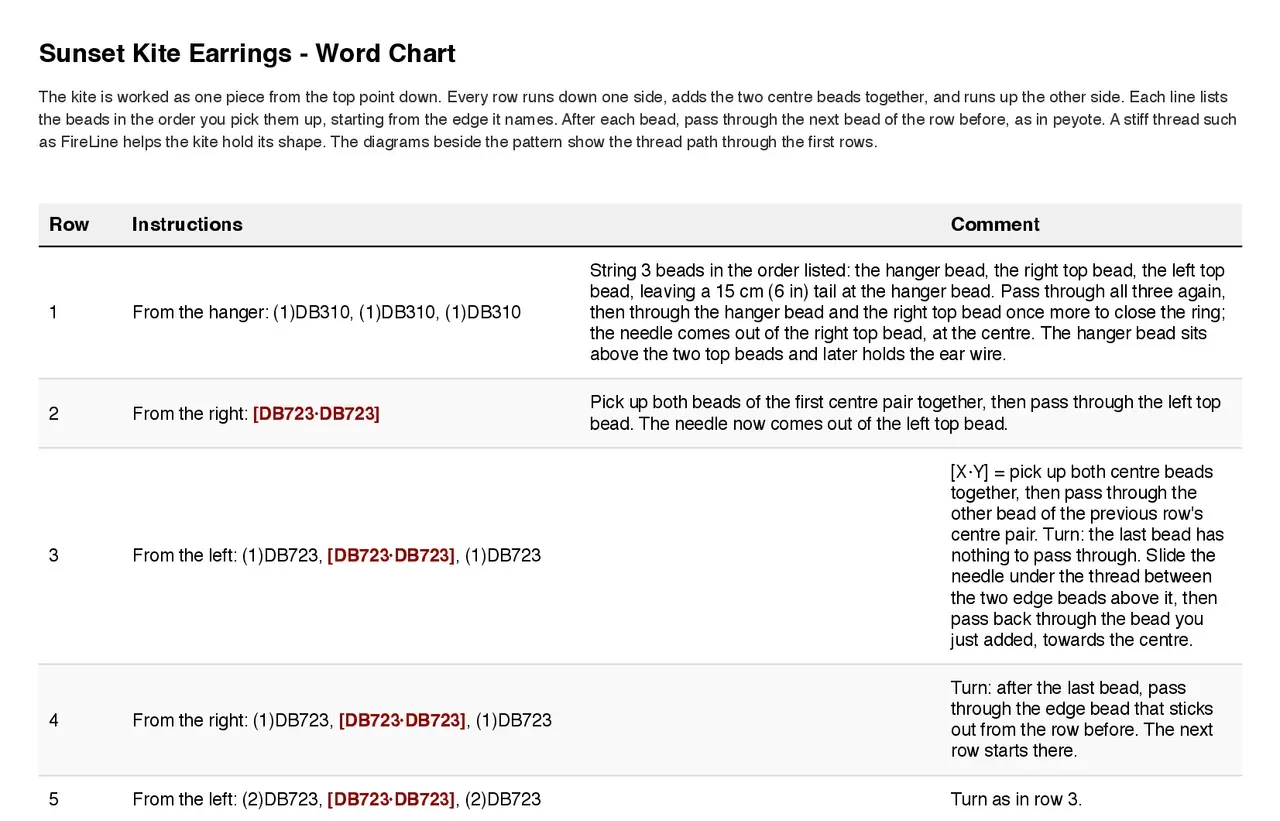
The opening rows of the written instructions, with Miyuki bead IDs.
Choose how you start
Beaders start a kite in two ways, and the PDF follows the one you choose:
- 4-bead ring (the default). The two top beads and the first center pair are strung as a ring.
- 3 beads + hanger. A third bead is strung above the two top beads. It sits at the top of the earring and later holds the ear wire. Beadloo draws it on the pattern and the diagrams, counts it in the total and the color key, and writes rows 1 and 2 on their own lines.
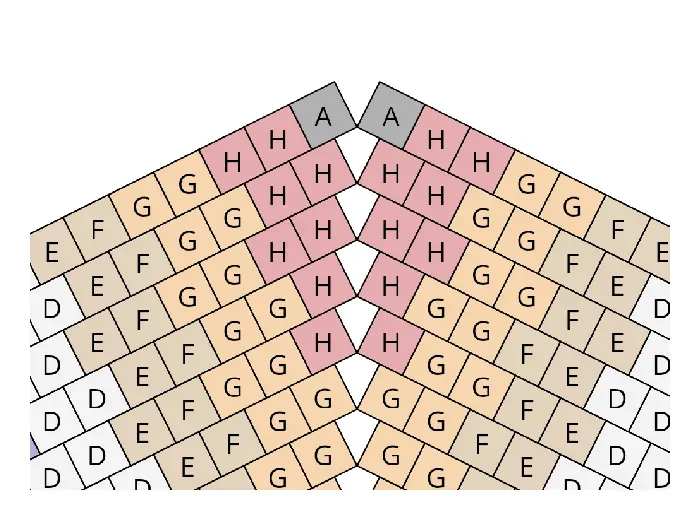
The 4-bead ring.
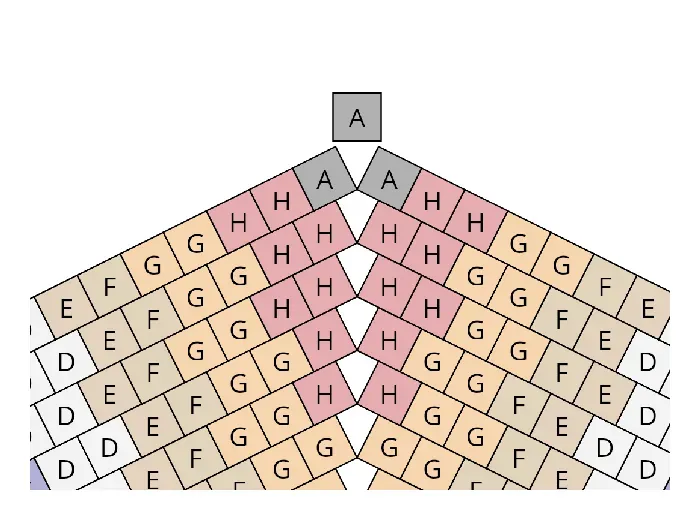
3 beads + hanger: the hanger bead sits above the top.
The hanger bead takes the color of the top beads. Beadloo remembers your choice for your next kite.
Every earring
The size of the whole earring
Estimated Size on the PDF now measures the finished earring: the whole kite or triangle as it is drawn. It used to take one section's rows and columns, which printed a kite at about half its real height and was also off for triangles.
Sharper prints of small patterns
The pattern image on the PDF used to be drawn at one fixed resolution. A large earring filled the page sharply, but a small one was enlarged to fill the same space and printed with soft, stepped edges. Beadloo now draws the image at the resolution the page needs, so a 3-row kite prints as crisply as a 30-row one. Triangular earrings benefit too.
Try it now
Open a Kite Shape project, choose Export PDF, and print the pattern with the written instructions. Craft mode does not support kites yet. Until it does, the printed chart is the way to follow a kite row by row. Tell us how your first kite turns out.
Comments
Sign in to join the conversation.
No comments yet. Start the conversation.