Print and stitch Kite Shape earrings
A Kite Shape earring is worked in peyote as one piece, from the top point down, in V-shaped rows that meet in a pair of center beads. This guide takes you from a design in the editor to a printed pattern you can stitch from: the export options for kites, how to read the pattern page and its start diagrams, and how to follow the written instructions row by row.
On every plan
Kite PDF export, the start diagrams and the written instructions are available on every plan. Free accounts design kites up to 10 rows per side and Pro accounts up to 30, and both can print whatever they design.
Quick start
From design to printed pattern in five steps
- Create a kite
Create a new project, choose Earring as the accessory and Kite Shape as the earring type, and set how many rows each side has. - Draw your design
Beadloo draws both sides of the kite, mirrored and joined down the middle. Paint them like any other pattern. - Open Export PDF
From the editor's header, the More Tools menu on a phone, or the back of the project card. - Choose what to print
The pattern, the written instructions, or both, and how you want to start the kite. - Export
The PDF downloads with the pattern page first and the written instructions after it.
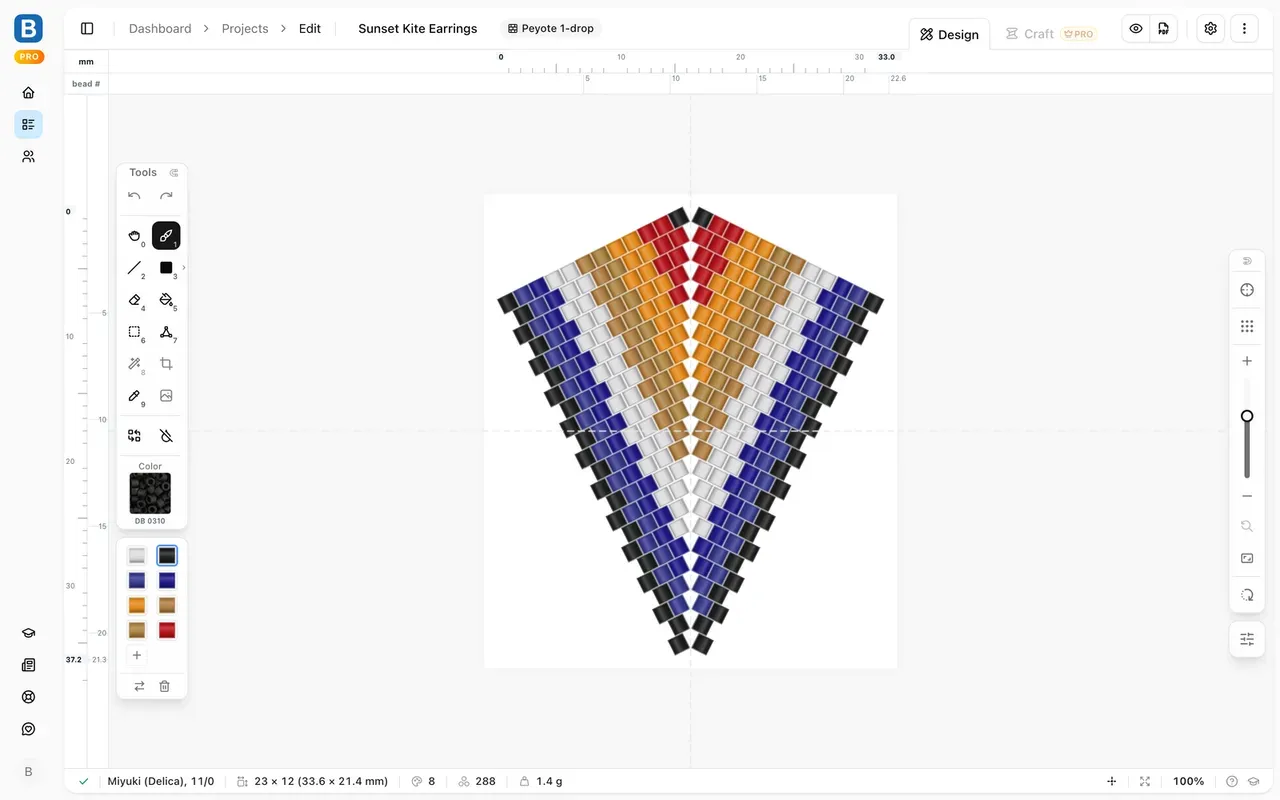
A 12-row kite in Miyuki Delica 11/0 in the editor. Example pattern
Where to find it
Opening Export PDF
- Computer and tablet: the PDF button in the editor's header, at the top right.
- Phone: the More Tools menu (the three dots) in the editor, then Export PDF.
- Projects page: turn a project card over (hover on a computer, tap on a phone or tablet) and choose the PDF button.
The export options for a kite
The dialog is the one every pattern uses, with one extra section for kites:
- What to include. Pattern only prints the kite, the start diagrams and the color key. Word chart only prints the written instructions. Both pattern and word chart prints both, pattern first.
- Bead IDs. With written instructions, tick Use Miyuki bead IDs to print Miyuki's numbers, such as DB0723, instead of the letters A, B, C.
- Kite pattern options. Choose how you start the kite: the 4-bead ring or 3 beads + hanger. The section is folded; its summary tells you the current choice, and Beadloo remembers it for your next kite.
- Page setup. A4 or Letter, portrait or landscape, and lightened or original colors.
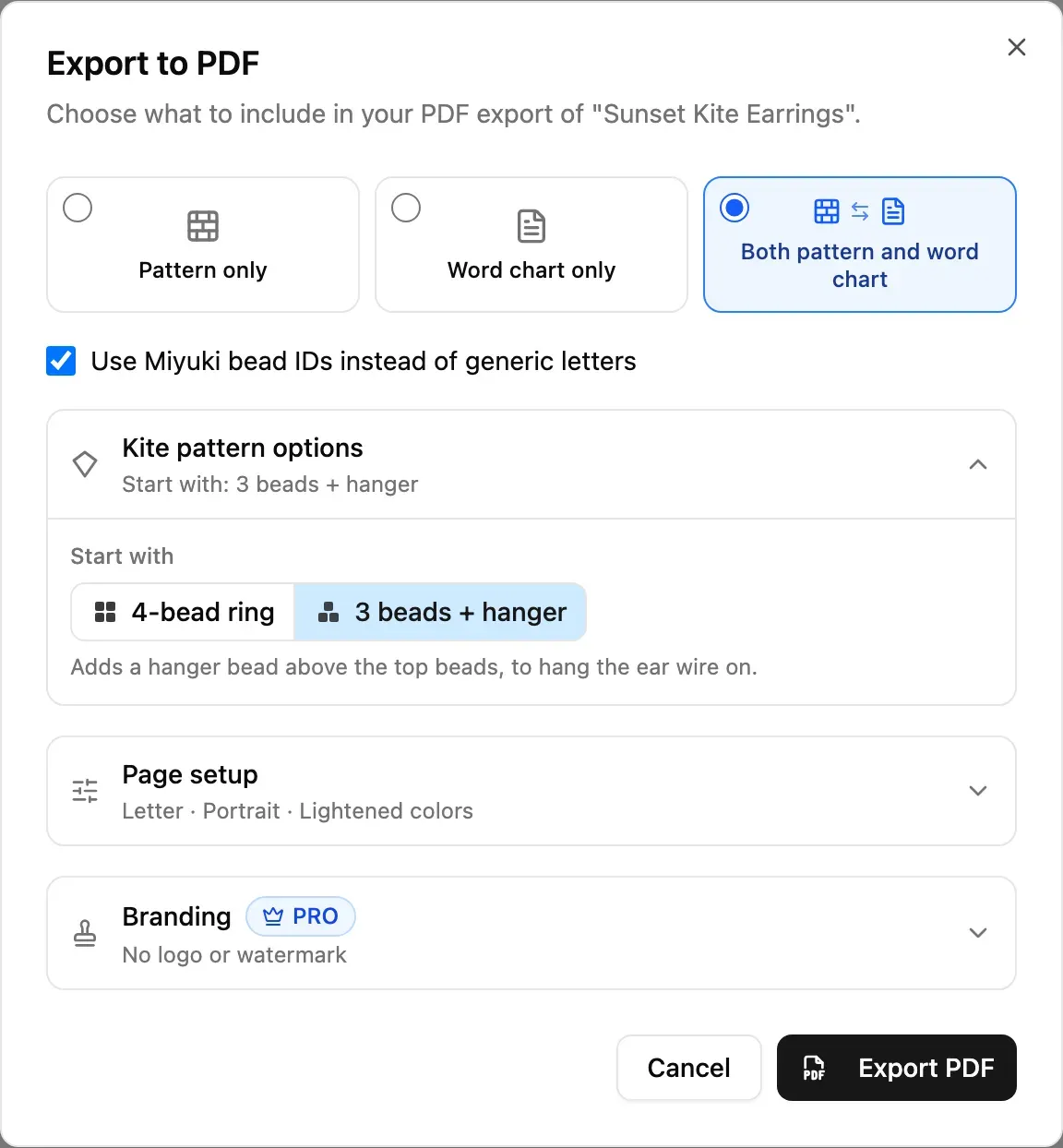
Kite pattern options, open, with the 3-bead start chosen.
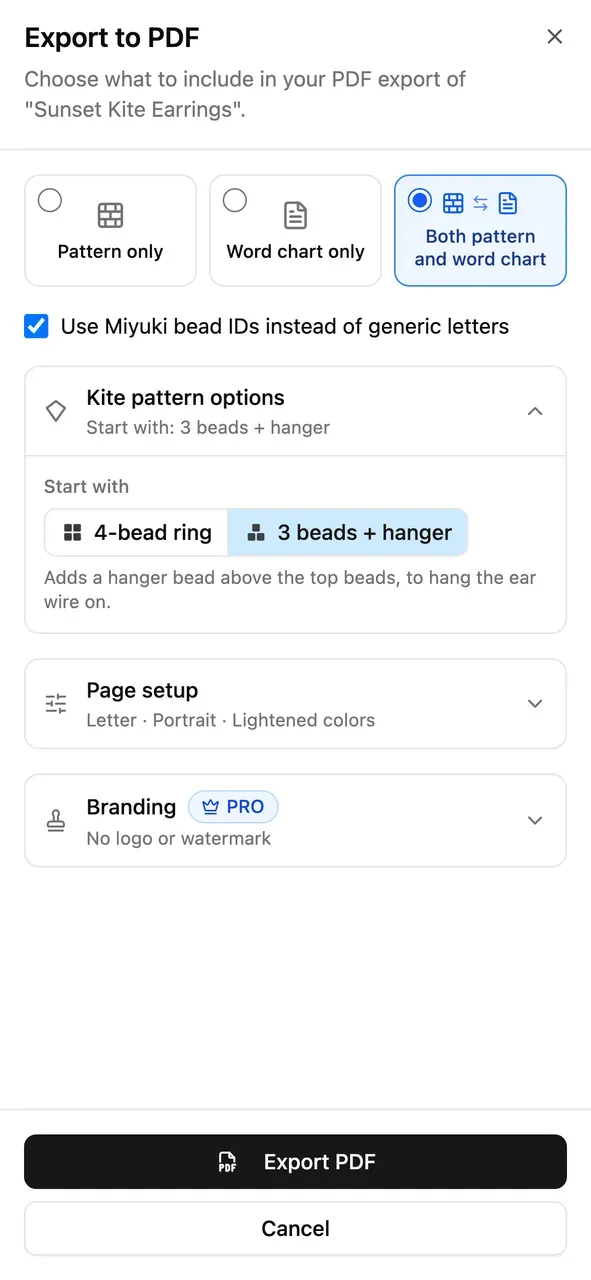
On a phone the dialog opens as a sheet.
The pattern page
Reading the pattern page
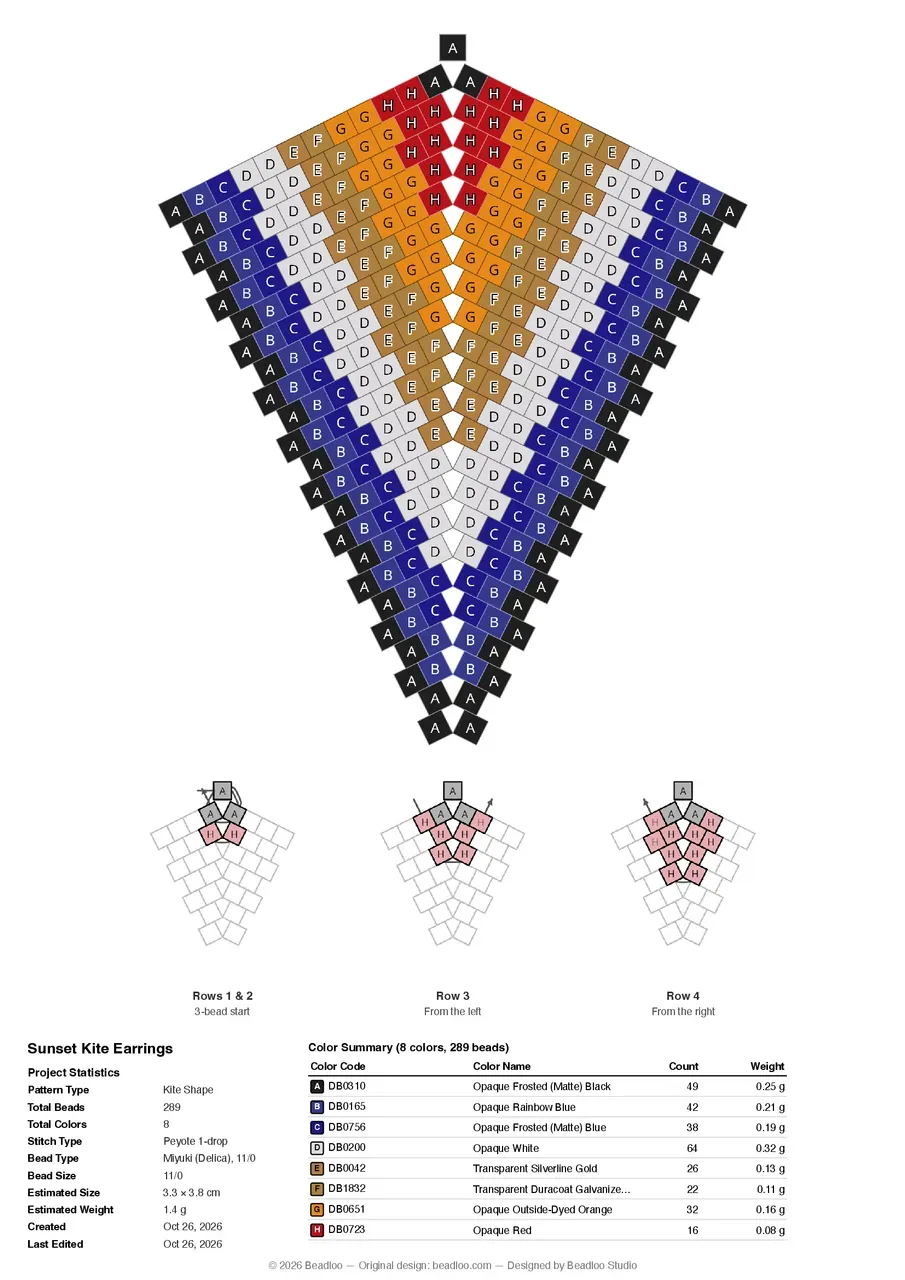
- The kite, point up, with every bead lettered. The letters match the color key.
- Three start diagrams under the kite, explained below.
- Project statistics, including the Estimated Size of the finished earring and its estimated weight.
- The color key: each bead's number, name, how many you need and their weight.
Lightened colors keep the letters easy to read; original colors show you the finished piece.
The start diagrams
The first rows are the fiddly part of a kite, so the pattern page draws them as three small diagrams:
- Rows 1 & 2: the start, as the ring or as the 3-bead start.
- Row 3: the first full row, worked from the left.
- Row 4: the next row, worked from the right.
Each one colors the beads worked so far, with the same letters as the big pattern, and draws that step's thread through the beads, ending in an arrow where your needle comes out.
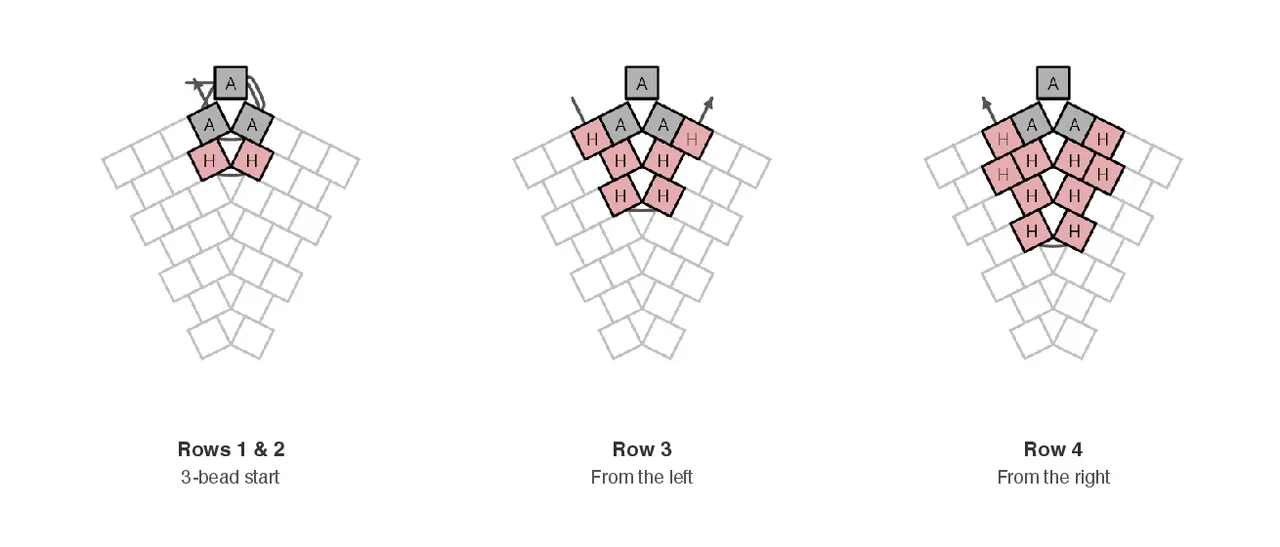
The start diagrams for the 3-bead start.
Stitching
How a kite is stitched
Every row of a kite is a V:
- Down one side
Start at the outer edge and work toward the middle, one bead at a time, as in peyote: after each bead, pass through the next bead of the row before. - Two beads at the center
At the middle, pick up the two center beads together and pass through the other bead of the previous row's center pair. This is what makes the point. - Up the other side
Work back out to the other edge. - Turn
Turn at the edge and start the next row from there. Rows alternate: one from the left, the next from the right.
Following the written instructions
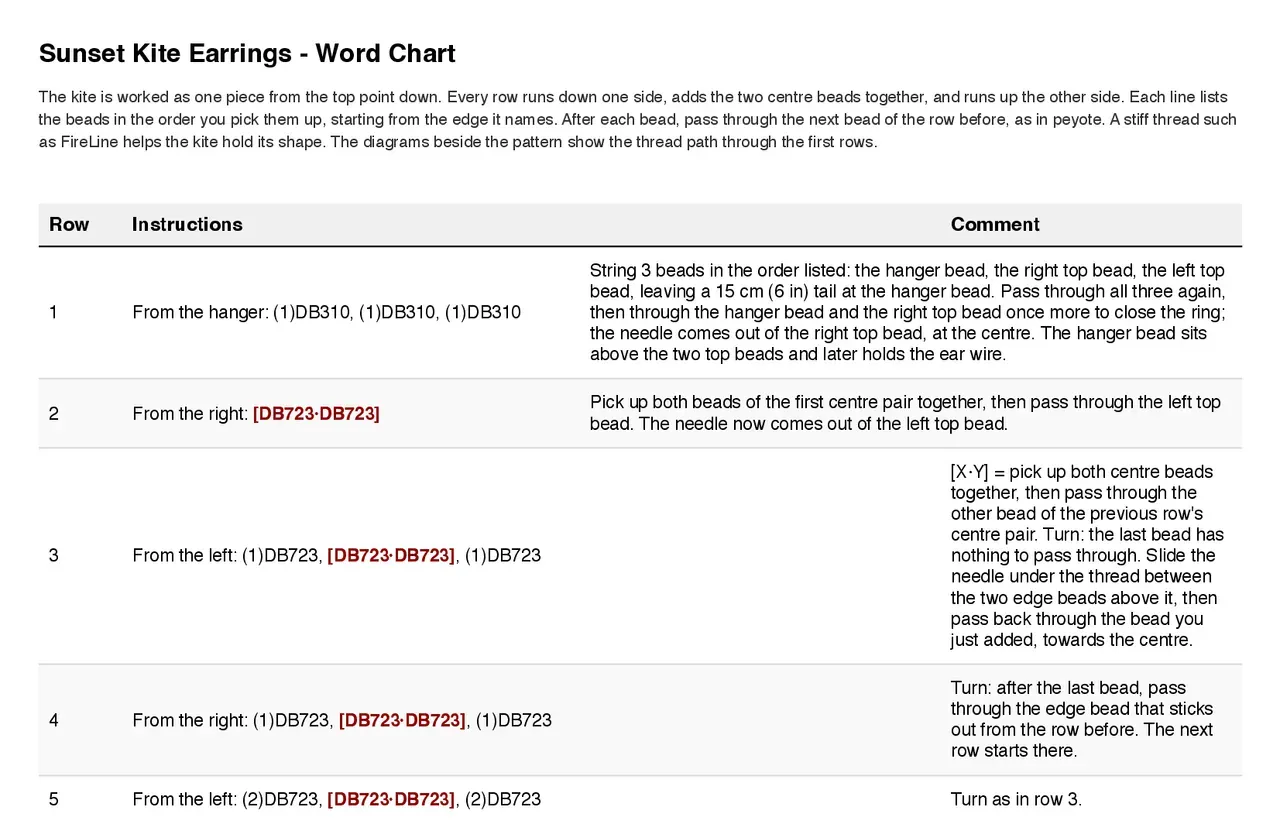
- Row is the row number. With the 4-bead ring the first line is "1&2"; with the 3-bead start, rows 1 and 2 have a line each.
- Each line opens with its starting edge, "From the left:" or "From the right:".
- The beads are listed in the order you pick them up, in runs: (3)DB0651 means three beads of DB0651.
- The center pair is in red brackets, such as [DB0723·DB0723]: pick both up together.
- The Comment column explains the moves: the start, the first center pair, and both turns on rows 3 and 4. Later rows just say "Turn as in row 3" or "Turn as in row 4".
- The last row explains how to finish, and how to attach the ear wire.
Choosing how to start
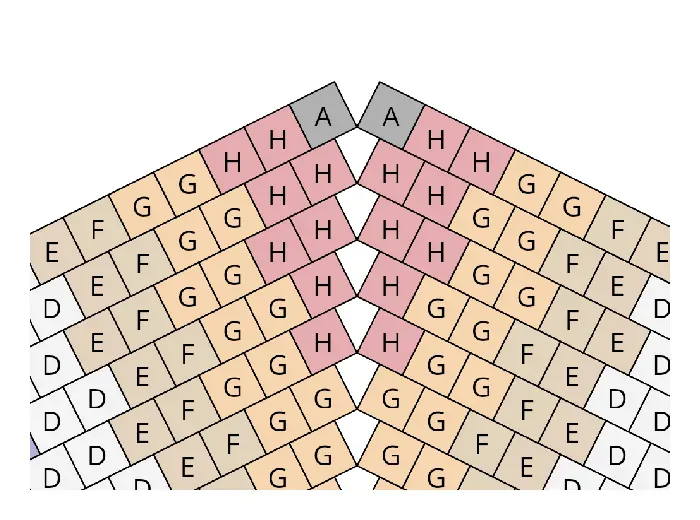
4-bead ring: string the two top beads and the first center pair, then pass back through the top beads to close the ring.
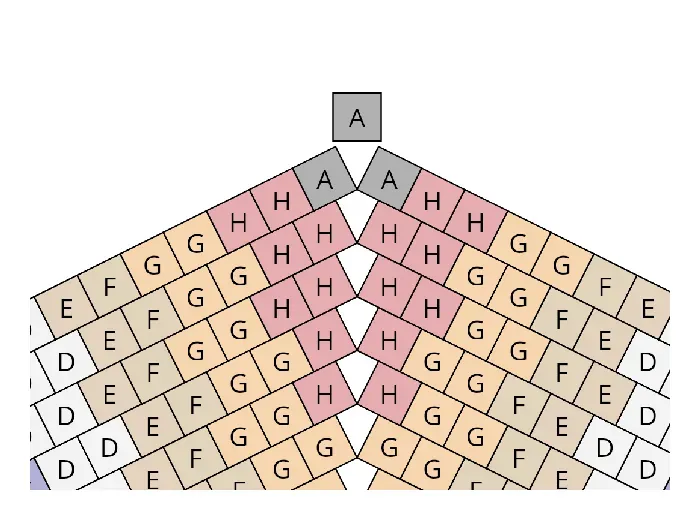
3 beads + hanger: a hanger bead is strung with the two top beads and sits above the point.
The hanger bead later carries the ear wire, so the earring hangs straight. It takes the color of the top beads, and it is drawn on the pattern and the diagrams and counted in the color key.
Good to know
Tips
- Start small. A kite of 8 to 10 rows per side stitches up in an evening and teaches you the turns.
- A sharper point. On the last row, pick up 3 beads instead of the center pair.
- A loop for the ear wire. With the tail, string 3 beads above the top and hang the jump ring on that small loop. With the 3-bead start, the loop goes through the hanger bead.
- Use a stiff thread. A thread such as FireLine helps the kite keep its shape.
- Keep the diagrams beside you. Print both the pattern and the written instructions, keep the start diagrams next to your beading mat, and tick the rows off as you go.
- Craft mode doesn't support kites yet. Until it does, the printed written instructions are the way to follow a kite row by row.
Comments
Sign in to join the conversation.
No comments yet. Start the conversation.